Apple AirTag 2 Review: The Ultimate Tracking Upgrade or Minor Refinement?
- Author: Review by ComputeNest Team
- Category: SmartHome
- Product Reviewed: Apple AirTag 2 (Second Generation)
- Affiliate Link: Buy Apple AirTag 2 on Amazon
Affiliate Disclosure: ComputeNest is reader-supported. Some of the links in this article are affiliate links (marked as “Sponsored”), meaning that if you click through and make a purchase, we may earn a small commission at no additional cost to you. This helps support our independent hardware testing and in-depth reviews. We only recommend products we have personally vetted and tested.
TL;DR: ComputeNest Quick Verdict
| Aspect | Rating / Detail |
|---|---|
| ComputeNest Rating | ⭐⭐⭐⭐½ (4.5 / 5) |
| Key Upgrades | Upgraded U2 Chip, 50% Louder Speaker, Anti-Tamper Casing |
| Tested Max Range | Up to 200 feet (Precision Finding active under line-of-sight) |
| Bottom Line | A massive range upgrade for owners of iPhone 15/16 series, though accessories remain a separate expense. |
Introduction: The Next Generation of Find My Tracking
When Apple released the original AirTag in 2021, it revolutionized item tracking. By leveraging the massive global network of active iPhones, iPads, and Macs, Apple created a tracking ecosystem that was virtually unmatched in locating lost keys, backpacks, and luggage. However, the first-generation tracker had its fair share of limitations: the speaker was relatively quiet, precision finding range was short, and tech-savvy stalkers found it surprisingly easy to disable the internal speaker.
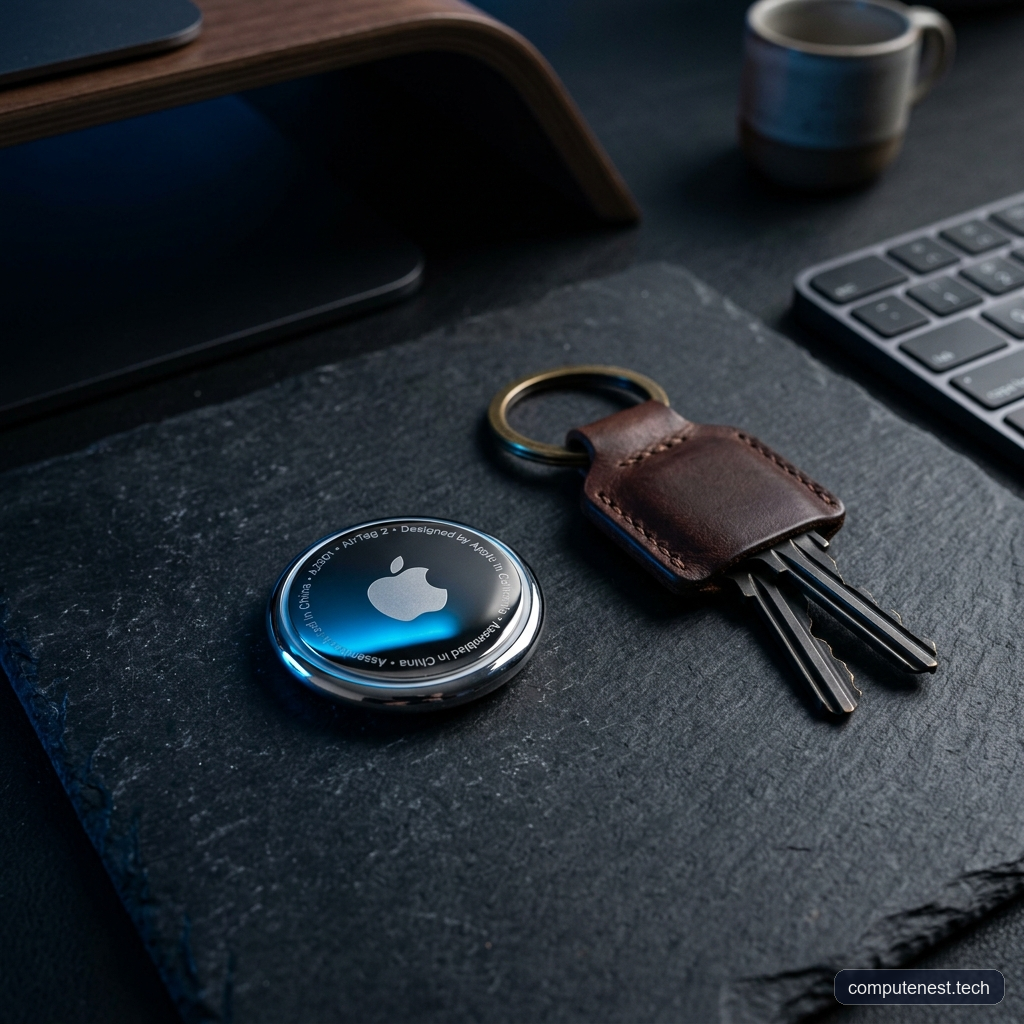
Enter the Apple AirTag 2 (Second Generation). Priced at $29 for a single pack and $99 for a four-pack, Apple’s latest tracker maintains the exact same coin-shaped physical form factor but introduces major internal hardware improvements. Armed with an upgraded ultra-wideband chip, a 50% louder speaker, and robust safety enhancements, is the AirTag 2 a must-have upgrade, or should you stick with the original?
In this comprehensive hands-on review, we put the Apple AirTag 2 through rigorous real-world testing—including parking lot interference and open line-of-sight range tests—to see exactly how it stacks up against the original.
Apple AirTag 1 vs. AirTag 2: Key Specifications Comparison
To understand what has changed under the hood, let’s look at how the second-generation model compares side-by-side with the original classic tracker:
| Feature / Specification | Apple AirTag (1st Gen) | Apple AirTag 2 (2nd Gen) |
|---|---|---|
| Wireless Chipset | Apple U1 Chip (Ultra-Wideband) | Upgraded Apple U2 Chip |
| Precision Finding Range | Approx. 30–50 feet | Up to 200 feet (Rated & Tested) |
| Speaker Volume | Standard volume (moderate high pitch) | 50% louder, higher pitched tone |
| Speaker Security | Easy to disable/dismantle | Tamper-resistant casing & speaker |
| Battery Type | CR2032 (lasts approx. 1 year) | CR2032 (lasts approx. 1 year) |
| NFC Support | Standard tag scanning | Standard tag scanning + custom iOS Shortcuts |
| Location Sharing | iOS 17 family sharing | iOS 17 family sharing + Third-party sharing |
| Launch Price | $29 (Single) / $99 (4-Pack) | $29 (Single) / $99 (4-Pack) |
Real-World Range & Precision Finding Tests: The U2 Chip in Action
The single biggest upgrade in the AirTag 2 is the inclusion of the upgraded U2 Ultra-Wideband (UWB) chip. If you own an iPhone 15 or newer, you have a matching U2 chip in your phone, allowing the devices to communicate over much longer distances.
To see if Apple’s claims of 50% better range hold up, we conducted two distinct real-world tests comparing both trackers side-by-side.
Test 1: The Costco Parking Lot (Heavy Interference)
Finding a car in a crowded shopping center parking lot is a common use case for trackers. We placed the AirTag 1 and AirTag 2 next to each other inside a vehicle and walked away.
- Apple AirTag 2: The iPhone connected via Precision Finding at 200 feet. Although the signal dipped briefly, it reconnected immediately. At 100 feet, the on-screen green arrow appeared, guiding us directly to the vehicle.
- Apple AirTag (1st Gen): The iPhone detected the tracker at about 100 feet, but only displayed the vague text status “Far.” We had to walk all the way to within 8 feet of the car before the direction arrow finally popped up.
- The Verdict: In environments with heavy metal interference and wireless noise, the AirTag 2 connects and guides you over 12 times farther than the original.
Test 2: Clear Line-of-Sight Range Test
Next, we tested the maximum range in a flat, open field with zero obstructions.
- Apple AirTag 2: Precision Finding connected at an impressive 200 feet away in open line-of-sight, showing the direction arrow clearly.
- Apple AirTag (1st Gen): The phone connected and showed “Far” around 80 feet, requiring us to walk closer to get a precise direction arrow.
- Signal Drop-Off (Body Blocking): When blocking the line of sight with our body, the AirTag 2 maintained a connection up to 80 feet, whereas the original AirTag dropped its connection at just under 30 feet after several attempts.
These range tests prove that the AirTag 2 is vastly superior for locating items outdoors, finding your car at airports, or tracking assets over distance.
Speaker Upgrades: Louder, Safer, and Stalker-Proof
A common complaint with the original AirTag was the weak internal speaker. If the tracker was buried inside a thick leather suitcase or trapped beneath a car seat, it was almost impossible to hear the chirp.
The AirTag 2 features a redesigned speaker that is 50% louder than the previous model. The sound profile is pitched higher, making it cut through ambient noise much better.
Additionally, Apple has addressed security flaws. On the first-generation AirTag, malicious actors could easily pry the casing open and pop the speaker magnet out to make a “silent stalker” tag. The AirTag 2 features a restructured internal enclosure that makes it significantly harder to tamper with or disable the speaker. If an unauthorized AirTag 2 travels with you, the louder beep makes it much easier to detect.
The CR2032 Battery Trap: A Crucial Warning
Like the original, the AirTag 2 runs on a standard CR2032 coin cell battery which lasts roughly one year. Replacing it is simple—just press down on the metal back plate and twist counterclockwise.
However, there is a major trap you must avoid when buying replacement batteries. Apple officially warns against using CR2032 batteries that feature a bitter coating (such as Duracell’s child-safe batteries). This bitterant is applied to prevent toddlers from swallowing the small cells, but the chemical coating can align poorly with the AirTag’s contacts, causing the device to lose connection or fail to turn on entirely.
⚠️ Warning: When purchasing replacement batteries for your Apple AirTag 2, look for brands that explicitly state “No Bitter Coating” or clean the battery surface with isopropyl alcohol before insertion.
Advanced Tips for AirTag 2 Power Users
To get the most out of your purchase, here are four advanced features and tips that many users miss:
1. The Secret NFC Automation Trigger
Many users don’t realize that AirTags contain an active NFC chip. You can use the Apple Shortcuts app on your iPhone to create automated tasks.
* How to use it: Go to the Shortcuts App > Automation > Create Personal Automation > Select NFC. Tap “Scan” and hold your phone over the AirTag.
* Example: You can stick an AirTag 2 in your car console and program it so that scanning it automatically locks your smart home doors, opens your garage, and starts playing a road-trip playlist.
2. Apple Watch Finding
If you own an Apple Watch (specifically Series 9 or Ultra 2, which also feature the U2 chip), you can run the Find Devices app directly on your wrist. You get the same green direction arrow and distance reading without ever needing to pull out your phone.
3. Exclude Places from “Left Behind” Alerts
By default, the Find My app will alert you if you leave an item behind. To avoid being annoyed every time you go to the store without your luggage, go to the item’s settings in Find My, select Notify When Left Behind, and add your “Home” or “Work” address as an excluded location.
4. Third-Party Sharing for Airline Luggage
iOS allows you to share an AirTag’s location with third parties. If an airline loses your bag, you can generate a secure location link in the Find My app and send it directly to the airline customer service. Apple highlights this feature as a major improvement for coordinating with airline staff to locate misplaced bags.
Pros and Cons of Apple AirTag 2
Pros
- Exceptional Precision Finding Range: Tested up to 200 feet in clear line-of-sight.
- Louder Speaker: 50% increase in volume with a clearer, high-pitched alert tone.
- Anti-Tampering: Redesigned hardware prevents malicious speaker removal.
- Third-Party Luggage Sharing: Greatly simplifies reclaiming bags with airlines.
- NFC Custom Shortcuts: Offers creative iOS smart home and car automations.
Cons
- Bitter-Coated Battery Incompatibility: Requires specific CR2032 replacements.
- Price of Accessories: Apple’s official keychains still cost more than the tracker itself.
- No Native Keychain Loop: Requires buying a case or holder to attach to keys.
The Verdict: Should You Buy the Apple AirTag 2?
The Apple AirTag 2 is not a complete redesign, but the internal upgrades are massive where they count.
- Who should upgrade: If you use trackers to locate your car in large parking lots, travel frequently with luggage, or find the original speaker too quiet to hear, the AirTag 2 is a stellar upgrade. The U2 chip’s range is a game-changer.
- Who can wait: If you only use AirTags to locate your keys or wallet inside your house, the original AirTag’s short-range Bluetooth is perfectly fine, and there’s no immediate need to upgrade.
Ready to secure your gear?
FAQs
Does the Apple AirTag 2 have GPS tracking?
No, the AirTag 2 does not contain a GPS chip. It uses Bluetooth and Ultra-Wideband signals to securely communicate with nearby Apple devices in the global Find My network, which then report the location to iCloud.
Can I share my AirTag 2 with family members?
Yes. With iOS 17 and later, you can share an AirTag 2 with up to five other people. This is perfect for shared items like car keys, pets, or family luggage.
How do I fix an AirTag 2 that won’t turn on after battery replacement?
If your AirTag 2 does not chirp or turn on after replacing the battery, check if the replacement CR2032 battery has a bitter coating. Wipe the battery clean with isopropyl alcohol or replace it with a non-coated CR2032 battery to ensure proper electrical contact.
About the Author
The ComputeNest Team is a collective of tech enthusiasts, hardware engineers, and product specialists dedicated to delivering honest, hands-on, and lab-tested reviews. With backgrounds spanning audio engineering, smart home design, mobile ecosystems, and micro-mobility, our mission is to cut through marketing hype and help readers make informed buying decisions.